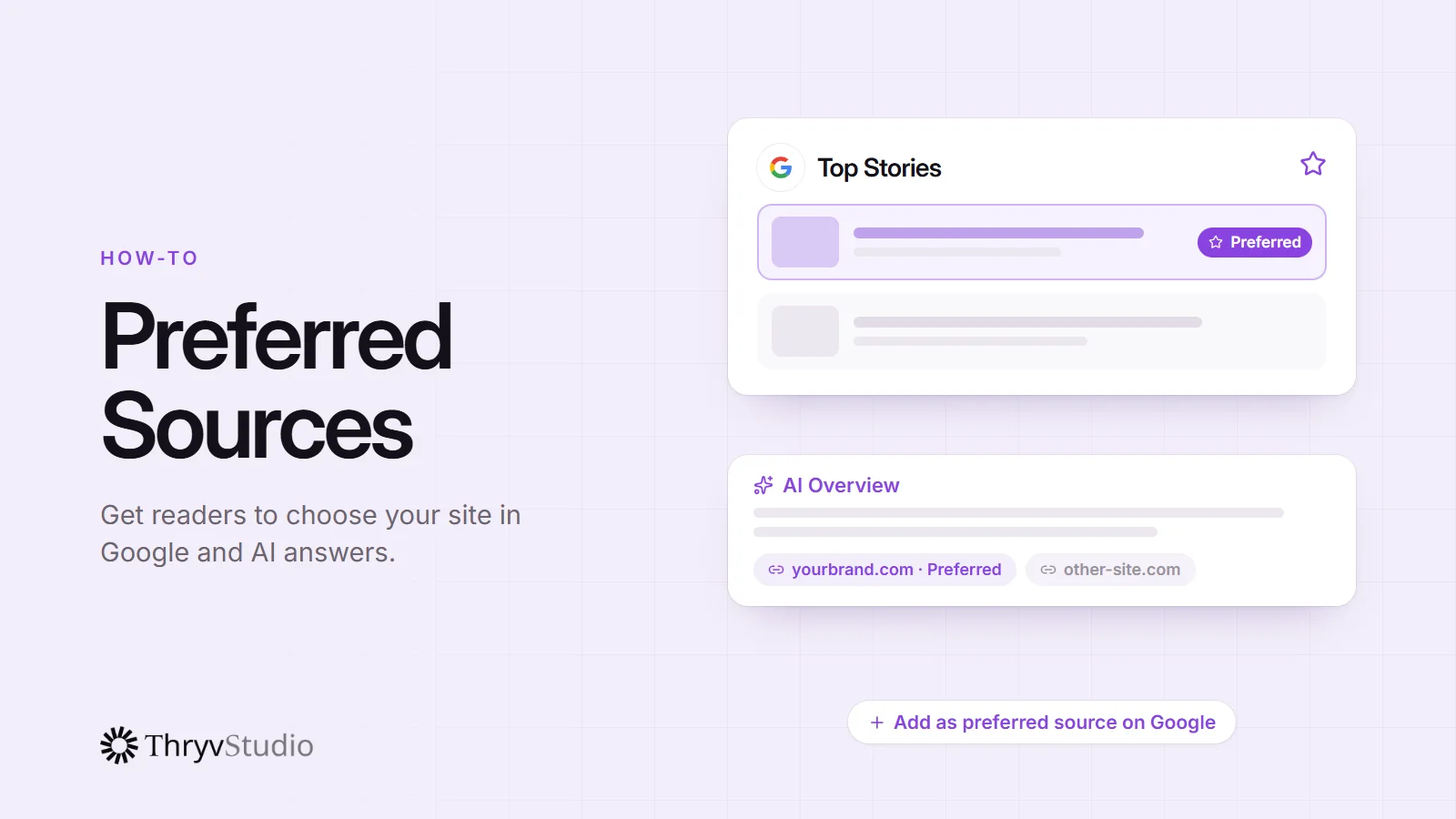
Preferred Sources is a Google Search setting that lets people pick the websites they want to see more often. Chosen sites appear more often in Top Stories and get a "preferred" badge in Top Stories, AI Overviews and AI Mode. Google says people are twice as likely to click through to a site they've chosen. Any domain or subdomain that publishes fresh content can be chosen, and since August 2026 site owners can add a Google button that lets readers pick them in one click. Your site must be included in Search generative AI features to appear as a preferred source in AI answers.
What is Google Preferred Sources?
Preferred Sources is a setting in Google Search that lets people choose the websites they want to see more often. When someone picks your site, Google's guide for site owners says your content is more likely to appear in Top Stories, highlighted with a "preferred" badge. In AI Overviews and AI Mode, your content can carry the same badge for that person.
It is one of the few ways a site can build a direct relationship with readers inside Google. Instead of competing for every search from scratch, you can be the site a reader has already said they trust.
How Preferred Sources has grown
| Date | What changed |
|---|---|
| August 12, 2025 | Google launched Preferred Sources for Top Stories, letting people choose news sites to see more often |
| April 30, 2026 | Google expanded it to all supported languages. People had selected more than 200,000 unique sites |
| May 27, 2026 | Google brought Preferred Sources into AI Overviews and AI Mode, with "Preferred" labels on links. Selections had passed 345,000 unique sources |
| August 20, 2026 | Google released an embeddable button for publishers, so readers can choose a site without leaving the page |
The May 2026 update also introduced a "Highly Cited" badge for original reporting and influential coverage. Google said then that "any website that publishes fresh content is eligible".
Why it matters
Google reports that people are twice as likely to click through to a site they've marked as a preferred source. That's Google's own figure, and it's the main reason to care.
It matters more now that AI answers sit above the links. When an AI Overview cites several sources, a "Preferred" label is one of the few things that makes a link stand out. For a reader who has chosen you, your link is no longer one of many; it's the one they asked for.
It also compounds. Every reader who chooses you is a small, lasting advantage that doesn't depend on winning each search.
Who can be a preferred source?
According to Google's documentation:
- Any website that publishes fresh content is eligible. It isn't limited to big news brands. Niche blogs, local news sites, trade publications and company blogs with regular updates can all be chosen.
- Only domains and subdomains qualify.
https://www.example.com/andhttps://code.example.com/are eligible. A subfolder such ashttps://www.example.com/blogis not. - AI features need one extra setting. To appear as a preferred source in AI Overviews and AI Mode, your site must be included in Search generative AI features in Search Console. If you've opted out, you can still appear in Top Stories, but not as a preferred source in AI answers. Our guide on whether to opt out of AI Overviews explains that setting.
- Sites that rarely update may not appear. Google's help pages note that sources which aren't updated regularly may not be available to choose.
Check your eligibility by searching for your site in the source preferences tool. If it appears, readers can choose it.
How readers choose a preferred source
Readers can choose sources in two ways:
- From the results. When Top Stories appear for a search, a star icon next to the heading opens the option to add sources.
- From settings. In Search personalization settings, under source preferences, people can search for any eligible site and add it.
Selections can be changed or removed at any time.
How to get readers to choose your site
Google lists three ways for site owners to point readers to the setting. None is required to appear as a preferred source, but all make it far more likely.
Option 1: Add Google's button (recommended)
Google's standard JavaScript button takes two lines of HTML. It shows a Google-styled "add as preferred source" button that is translated automatically, supports light and dark themes, and returns the reader to the same spot on your page after they confirm. The code is in Google's preferred sources documentation. An advanced version lets you use your own design while keeping the same flow.
Good places for the button:
- at the end of articles, where engaged readers finish
- in your site header or footer for regular visitors
- on your newsletter sign-up confirmation page
Option 2: Use a deep link
If your CMS can't run the script, use a plain link. Google's format is:
https://www.google.com/preferences/source?q=example.comReplace example.com with your domain. The link opens the source preferences tool with your site ready to add. It works as a text link, on a button image, in emails and in social posts.
Option 3: Ask directly
Readers can't choose you if they don't know the option exists. A short line in newsletters, podcasts and social posts works well: "Want more of our coverage on Google? Add us as a preferred source." Google provides official button artwork in several languages.
A simple plan for the next 30 days
| Week | Action |
|---|---|
| 1 | Check your site appears in the source preferences tool. Confirm in Search Console that your site is included in Search generative AI features. |
| 2 | Add Google's button to the end of every article and to your newsletter confirmation page. |
| 3 | Mention it in your newsletter and on social, with the deep link. Pin the social post. |
| 4 | Review which pages get the most engaged readers, and make sure the button is prominent on them. |
What Preferred Sources won't do
- It doesn't rank you for new readers. The benefit applies to people who have chosen you. You still need strong SEO to reach everyone else.
- It doesn't guarantee a citation. The "Preferred" label appears when your site is already part of an AI answer. It doesn't force your site into answers.
- It doesn't replace content quality. People choose sites they find useful, and drop them when they stop being useful.
- It won't help a site that rarely publishes. Fresh content is part of the eligibility rule.
Common mistakes
- Promoting it on a subfolder blog. If your blog lives at
/blog, the whole domain is the source readers choose, not the blog section. - Opting out of AI features without realizing the cost. Excluding your site from Search generative AI features also removes the preferred badge from AI answers.
- Hiding the button. A button buried in the footer of the homepage gets few clicks. Put it where engaged readers finish reading.
- Asking before giving value. Ask after someone has read something useful, not in a pop-up the moment they arrive.
Frequently asked questions
What are preferred sources on Google?
Preferred sources are websites a person has chosen to see more often in Google Search. Their content appears more often in Top Stories and gets a "preferred" badge in Top Stories, AI Overviews and AI Mode.
How do I become a preferred source on Google?
Make sure your site is a domain or subdomain that publishes fresh content and appears in the source preferences tool. Then encourage readers to choose you with Google's button, the deep link or a direct request.
Do preferred sources appear in AI Overviews?
Yes, since May 27, 2026. When a site someone has chosen appears in an AI Overview or AI Mode answer, its link carries a "Preferred" label. The site must be included in Search generative AI features in Search Console.
Is Preferred Sources only for news sites?
No. Google says any website that publishes fresh content is eligible, including niche blogs and company blogs that update regularly.
Can I choose a blog subfolder as a preferred source?
No. Only domain-level and subdomain-level sites are eligible. A subfolder like example.com/blog can't be chosen on its own.
Does Preferred Sources help SEO?
It helps with readers who have chosen you: your content appears more often in their Top Stories and stands out in their AI answers, and Google says they're twice as likely to click. It doesn't directly improve rankings for everyone else.